
Buying a new laptop is exciting. Whether you picked up a sleek Dell ultrabook, a reliable HP notebook, a productivity-focused Lenovo machine, or a premium Apple laptop, the first few days can make a huge difference in how well your device performs over time. Best Free Tools for New Laptop Owners
Most new laptops come with pre-installed software, trial programs, and unnecessary background apps. That means before you start working, studying, gaming, or creating content, it helps to install the right free tools.
This guide covers the best free tools for new laptop owners—the kind of software that improves speed, security, productivity, file handling, media playback, and everyday usability. If you just bought a new laptop and want to get the most from it without spending money, this article is built for you.
Why New Laptop Owners Need Free Essential Tools
A brand-new laptop often feels fast at first, but out of the box it may not be fully optimized for real-world use.
Free software helps you:
- Remove clutter
- Improve startup speed
- Protect against malware
- Organize files
- Open nearly any media format
- Take better notes
- Back up important documents
- Keep your system running smoothly
The good news is that some of the most useful laptop software costs nothing. For more information.
1. Google Chrome – Fast Browsing and Easy Sync
For most people, the first app installed on a new laptop is a browser.
While many Windows laptops come with Microsoft Edge, millions still prefer Google Chrome because of its speed, extension library, and cross-device syncing.
Why it’s useful for new laptop owners
- Sync bookmarks across laptop and phone
- Save passwords securely
- Access extensions for work and study
- Easy integration with Google services
Best Chrome extensions to install
- Grammarly
- uBlock Origin
- Google Keep
- Bitwarden
For users who want speed and convenience, Chrome remains one of the best free tools for laptop setup.
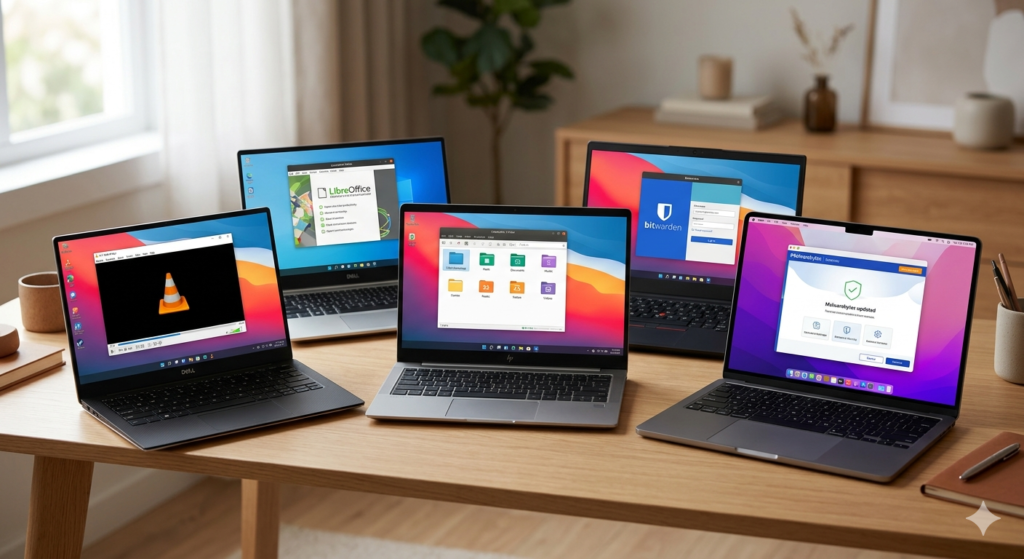
2. Bitwarden – Free Password Management
One of the biggest mistakes new laptop owners make is saving passwords in random notes or reusing the same login everywhere.
Bitwarden solves that problem.
Why it matters
As soon as you start using a new laptop, you log in to email, banking, social media, cloud storage, and shopping accounts.
A password manager helps you:
- Generate strong passwords
- Store credentials securely
- Autofill logins
- Sync across devices
For a free tool, Bitwarden offers excellent value and is one of the smartest first installs.
3. VLC Media Player – Plays Almost Everything
A new laptop often struggles with uncommon media formats. That is where VLC media player becomes essential.
Why new laptop owners love VLC
It plays nearly every common format:
- MP4
- MKV
- AVI
- MOV
- MP3
- FLAC
Extra benefits
- No ads
- Lightweight
- Subtitle support
- Audio equalizer
- Video streaming support
Instead of downloading codecs one by one, install VLC once and you are set.
4. LibreOffice – Free Alternative to Microsoft Office
Many laptops do not include a full subscription to Microsoft Office. Trial versions expire quickly.
That is why LibreOffice is one of the best free tools for new laptop users.
What you get
- Writer (documents)
- Calc (spreadsheets)
- Impress (presentations)
Why it’s great
Students, freelancers, job seekers, and office workers can start immediately without paying monthly fees.
LibreOffice opens and saves many Microsoft formats, making it highly practical.
5. Malwarebytes Free – Basic Malware Protection
Most new laptops already include Microsoft Defender, and it is solid. But adding an on-demand scanner like Malwarebytes gives extra peace of mind.
Why it’s useful
New users often download:
- PDFs
- software installers
- browser extensions
- random files from email
Malwarebytes helps detect suspicious software before it becomes a bigger issue.
For safe browsing habits, this is one of the smartest free utilities to keep installed.
6. 7-Zip – Essential File Compression Tool
Windows handles ZIP files well, but serious file work becomes easier with 7-Zip.
What it can do
- Extract ZIP
- Extract RAR
- Compress large folders
- Create password-protected archives
Why new laptop owners need it
Whether you are downloading software, sharing project folders, or organizing backups, 7-Zip becomes useful almost immediately.
It is lightweight, fast, and completely free.
7. Everything – Instant File Search on Windows
Searching for files on Windows can sometimes feel slow.
Everything is one of those tools people install once and never want to live without.
Why it stands out
It finds files almost instantly.
Instead of clicking through folders, you simply type:
- invoice
- assignment
- resume
- screenshot
…and results appear immediately.
For students and professionals, this saves real time every day.
8. ShareX – Best Free Screenshot Tool
Every laptop owner takes screenshots.
But the built-in screenshot tools usually feel limited. That is where ShareX shines.
Features
- Full-screen capture
- Region capture
- Scrolling screenshots
- Screen recording
- Instant file saving
Why it matters
If you work online, study remotely, or create tutorials, ShareX becomes incredibly useful.
For free software, it is remarkably powerful.
9. Notion – Modern Organization for Work and Study
New laptops usually mark a fresh start.
That makes it a good time to organize tasks, projects, notes, and ideas.
Notion is one of the most popular free productivity tools right now.
Good for
- To-do lists
- Study notes
- Daily planning
- Project tracking
- Content calendars
Why laptop owners love it
Instead of scattered sticky notes and text files, everything stays in one workspace.
For students, creators, and remote workers, it can quickly become a daily-use app.
10. CrystalDiskInfo – Monitor Drive Health
A new laptop should stay healthy for years.
CrystalDiskInfo helps monitor the health of your SSD or hard drive.
What it shows
- Drive temperature
- Health status
- Power-on hours
- SMART data
Why it matters
Storage problems often show warning signs before failure.
Monitoring early can help prevent data loss.
11. CCleaner Alternative: BleachBit
Many users install system cleanup software first.
A strong free option is BleachBit.
What it cleans
- Temporary files
- browser cache
- old logs
- unnecessary junk
Why it helps
Cleaning unnecessary files can free space and keep a new laptop running smoothly.
Just avoid overly aggressive cleaning settings.
12. Google Drive – Free Cloud Backup
One of the smartest habits for new laptop owners is backing up files from day one.
Google Drive offers free storage and easy syncing.
Good for backing up
- photos
- school work
- resumes
- invoices
- documents
Why it matters
Laptops can be lost, stolen, or damaged.
Cloud backup protects important files.
13. Zoom – Essential for Meetings and Classes
Whether for remote work, online interviews, or classes, video calling software matters.
Zoom remains one of the most common free tools.
Why it belongs on a new laptop
- Job interviews
- virtual meetings
- online learning
- quick collaboration
Even if you do not use it every day, having it installed helps.
14. Audacity – Free Audio Editing Software
If you ever record voice notes, podcasts, classes, or presentations, Audacity is excellent.
Useful for
- trimming audio
- reducing noise
- recording voice
- basic editing
It is beginner-friendly and surprisingly powerful.
15. Canva – Easy Graphic Design
For resumes, presentations, thumbnails, social media graphics, and posters, Canva is extremely practical.
Why new laptop owners use it
- ready-made templates
- simple drag-and-drop editing
- quick export options
Students, freelancers, and creators often install it immediately.
Best Free Tools by Use Case
Here is a quick summary of the best free tools for new laptop owners depending on your needs.
For students
- LibreOffice
- Notion
- Google Drive
- Zoom
For remote workers
- Google Chrome
- Bitwarden
- ShareX
- Notion
For general everyday users
- VLC media player
- 7-Zip
- Everything
- Malwarebytes
What to Remove From a New Laptop
Installing good software matters, but removing unnecessary software helps too.
Common things worth checking:
- Trial antivirus programs
- Manufacturer bloatware
- Unused pre-installed apps
- Startup-heavy software
Brands like Acer, ASUS, and some consumer models from HP or Dell may include extra utilities you may never use.
Removing unnecessary startup apps often makes a noticeable difference.
Best First-Day Setup Tips for New Laptop Owners
Before installing too many apps, these simple steps help a lot.
Update the operating system
Install all updates for:
- Windows 11
- Windows 10
- macOS
Updates improve security, drivers, and stability.
Create a restore point
This makes it easier to recover if something breaks later.
Uninstall junk apps
Remove trial software and anything you do not need.
Enable cloud sync
Whether through Google Drive, OneDrive, or Dropbox, backup should start early.