
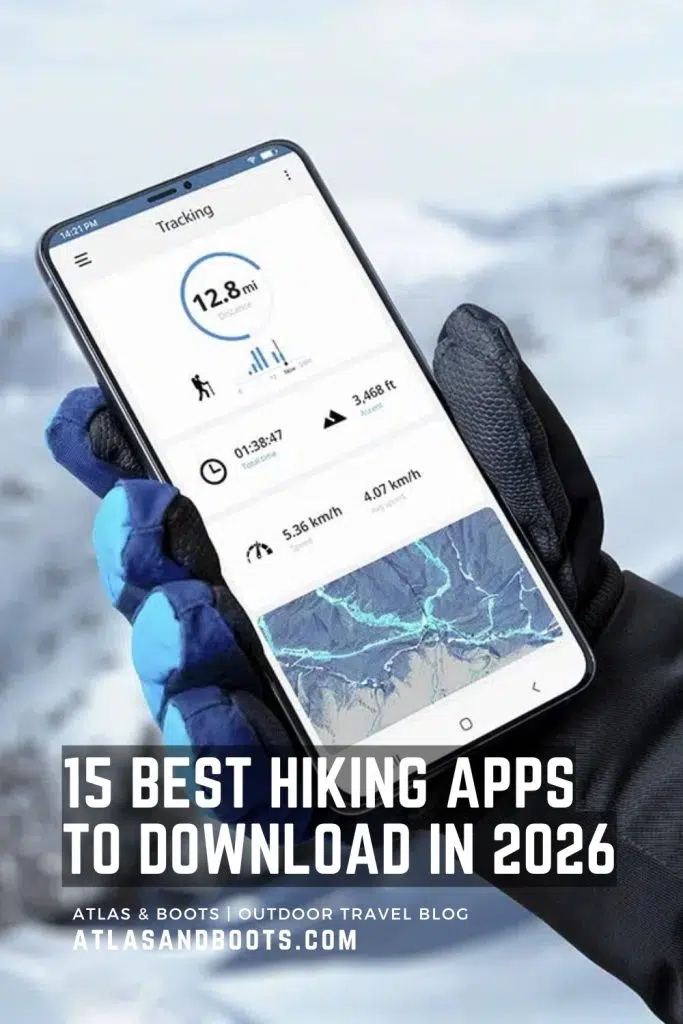
The wilderness is a place of beauty, but it is also a place of unpredictability. As we move further into 2026, the technology in our pockets has become as essential as a sturdy pair of boots. For the modern hiker, a “good app” is no longer just a digital map; Hiking apps with GPS tracks your location via satellite, monitors shifting weather fronts, and provides a lifeline to emergency services when things go south.
Whether you are a casual day-hiker or a hardcore thru-hiker, choosing the right mobile companion can be the difference between a successful summit and a call to Search and Rescue. In this guide, we break down the top-tier hiking applications available on APKMirror.shop and other major platforms, focusing on the features that keep you found, dry, and safe.Visit our internal link https://apkmirror.shop for more.
1. AllTrails: The Community Gold Standard
AllTrails remains the most popular hiking app in the world for a reason. With over 500,000 curated trail maps and a massive community of millions, it is the best tool for discovery.
Key GPS & Navigation Features
AllTrails provides high-resolution topographic maps that you can download for offline use (Pro version). Its GPS tracking is highly accurate, showing your real-time position even in areas with zero cell service. The “Navigator” feature keeps you on the path and alerts you if you take a wrong turn.
Weather & Safety Integration
One of the standout updates in 2026 is the Live Weather Overlay. Users can see real-time satellite and radar data directly on their trail map. For safety, AllTrails includes Lifeline, a feature that allows you to share your planned route and real-time location with designated safety contacts. If you don’t check in by a certain time, your contacts are automatically notified with your last known coordinates.
2. Gaia GPS: The “Swiss Army Knife” for Backcountry
If AllTrails is for discovery, Gaia GPS is for the serious explorer. It is widely considered the most powerful mapping tool for those who go off-grid.
Advanced Mapping Capabilities
Gaia GPS offers a massive library of map layers, including National Geographic Trails Illustrated, USGS Topo, and even private land boundaries. Its GPS engine is designed for low battery consumption, making it ideal for multi-day treks.
Emergency & Weather Readiness
Gaia’s integration with NOAA weather forecasts allows hikers to check point-specific weather data. Unlike general city forecasts, Gaia provides weather info for the specific elevation and ridge you are on. In terms of emergency features, Gaia allows for seamless GPX export to satellite communicators like the Garmin inReach, ensuring that your digital maps and satellite SOS devices are perfectly synced.
3. Komoot: The Best for Intelligent Routing
Komoot has revolutionized the way we plan hikes by using a smart routing algorithm that considers the terrain, surface (gravel, paved, or single-track), and your personal fitness level.
Smart GPS Navigation
Komoot’s turn-by-turn voice navigation is a game-changer for those who don’t want to constantly look at their phone. The GPS tracking is exceptionally smooth, and it provides an “Elevation Profile” in real-time so you know exactly how much more climbing is left.
Weather-Responsive Planning
In 2026, Komoot introduced a Weather Forecast Slider. Before you start your hike, you can slide through your planned start time to see how wind speed, temperature, and precipitation will change while you are on the trail. This allows you to time your hike perfectly to avoid afternoon thunderstorms.
4. Cairn: The Ultimate Safety Specialist
While other apps focus on maps, Cairn focuses almost entirely on keeping you safe. It is an essential “secondary” app for every hiker.
Safety-First Features
Cairn’s most unique feature is its Cell Coverage Map. It crowdsources data from thousands of hikers to show you exactly where on the trail you are likely to find a signal for different carriers (Verizon, AT&T, etc.). This is vital if you need to make a quick check-in call.
Emergency SOS and ETA Tracking
Cairn automatically tracks your pace and calculates your estimated time of arrival (ETA). If you are overdue, it notifies your “Safety Circle.” It also provides one-tap access to local emergency numbers based on your GPS location, even if you are in a foreign country.
5. Windy.com: The Essential Weather Companion
While not a “hiking map” app in the traditional sense, Windy.com is the gold standard for weather visualization. Many hikers use it alongside AllTrails or Gaia GPS to stay ahead of the elements.
Hyper-Local Forecasting
Windy uses the ECMWF and GFS models to provide stunning, interactive visualizations of wind, rain, and snow. For mountain hikers, the Cloud Base and Thunderstorm layers are non-negotiable for safety. Knowing when a front is moving in can give you the 30-minute head start needed to get off a dangerous ridgeline.
Comparative Table: Top Hiking Apps of 2026
| App Name | Primary Strength | Offline Maps | Emergency Features | Weather Integration |
| AllTrails | Trail Discovery | Yes (Pro) | Lifeline Tracking | Live Overlays |
| Gaia GPS | Backcountry Navigation | Yes (Premium) | SOS Syncing | NOAA Point Forecasts |
| Komoot | Intelligent Routing | Yes | Turn-by-turn Voice | Time-based Forecast |
| Cairn | Safety & Signal Maps | No | Automatic Alerts | Basic |
| Windy.com | Weather Accuracy | Limited | No | Comprehensive |
Essential Safety Tips for Using Hiking Apps
Using an app is a great way to stay safe, but it shouldn’t be your only line of defense. Follow these “Golden Rules” of digital hiking:
- Download Before You Go: Never assume you will have signal at the trailhead. Always download your offline maps while you are still on home Wi-Fi.
- The 20% Battery Rule: If your phone hits 20% battery, it’s time to turn it off and switch to a paper map or head back. Use an external power bank to keep your GPS running.
- Airplane Mode is Your Friend: GPS works without data. Switching your phone to Airplane Mode will save significant battery life while still allowing the app to track your position.
- Calibrate Your Compass: Before starting, move your phone in a “figure-8” motion to ensure the internal magnetometer is accurate.
Why You Should Download from Reliable Sources
When looking for the latest versions of these apps, always ensure you are using a secure source like the Google Play Store or a trusted mirror. Apps found on APKMirror.shop are often used by enthusiasts to find specific versions of apps that work better on older hardware or to access updates before they roll out globally. Always verify the digital signature of an APK to ensure your safety and data privacy.
The Role of Satellite Communicators in 2026
While apps are incredible, they rely on your phone’s hardware. For extreme backcountry travel, we recommend pairing your app with a dedicated satellite messenger. Modern devices now allow you to “tether” your phone to a satellite network, allowing you to use your favorite hiking app to send text messages even in the deepest canyons.
Final Thoughts
The “best” app depends on how you hike. If you want to find a local trail for a Sunday stroll, AllTrails is unbeatable. If you are planning a week-long expedition into the wilderness, Gaia GPS and Windy.com are your best bets. Regardless of your choice, the combination of GPS tracking, weather alerts, and emergency notification systems has made hiking safer than ever before.
Before your next adventure, head over to the app store or your favorite trusted repository to update your toolkit. The mountains are calling, but make sure you have the right tech to answer.
To help you build a comprehensive resources section for your article on APKMirror.shop, I have compiled the most relevant FAQs and a list of high-performance “Pro” hardware that complements these apps.
Including these sections will not only help your SEO but also provide your readers with a one-stop-shop for hiking safety and tech.
Frequently Asked Questions (FAQs)
1. Do hiking apps work without cell service?
Yes, but only if you have downloaded the maps for offline use beforehand. Most smartphones have a dedicated GPS chip that functions independently of cellular data. However, features like live weather updates or real-time location sharing with friends will not work without a signal unless paired with a satellite communicator.
2. How can I prevent my battery from dying while using GPS?
GPS is power-intensive. To maximize battery:
- Use Airplane Mode: This stops your phone from hunting for a signal, which is the biggest battery drain.
- Lower Screen Brightness: Only turn the screen on when you need to check your position.
- Carry a Power Bank: In 2026, a 10,000mAh or 20,000mAh PD (Power Delivery) bank is considered essential gear.
3. Are free hiking apps as accurate as paid ones?
The GPS accuracy is usually the same because it relies on your phone’s hardware. However, “Pro” or “Premium” versions offer significantly better map details (topographic lines, water sources, trail junctions) and essential safety features like weather overlays and emergency alerts.
4. What is the difference between a hiking app and a handheld GPS?
A smartphone app offers a better interface, more frequent map updates, and a larger screen. A dedicated handheld GPS (like a Garmin) is more rugged, waterproof, and usually has a much longer battery life or uses replaceable AA batteries, making it better for extreme conditions or week-long expeditions.
Top Products for Enhanced Hiking Safety (2026)
While apps are powerful, they are often paired with these top-rated hardware products for the ultimate “Pro” setup.
1. Best Satellite Communicator: Garmin inReach Mini 2
The gold standard for off-grid safety. It pairs with your phone via Bluetooth, allowing you to send text messages and trigger an SOS via satellite when there is no cell service.
- Why it pairs well: You can use the Garmin Explore app on your phone to type messages and view maps on a better screen.
2. Best High-End Handheld: Garmin GPSMAP 67i
If you want a device that does it all without needing a phone, this is it. It features a massive battery life (up to 180 hours) and built-in inReach satellite technology.
- Best for: Professional guides, search and rescue, and extreme winter hikers.
3. Best Budget Messenger: ZOLEO Satellite Communicator
A more affordable alternative to Garmin, the ZOLEO provides a dedicated SMS number so your family can easily text you. It seamlessly switches between Wi-Fi, Cellular, and Satellite to ensure your message always goes through.
4. Best Emergency Power: Nitecore NB10000 Gen 4
Weight is everything when hiking. This is the world’s lightest 10,000mAh power bank, specifically designed for trail runners and hikers who need to keep their GPS phones charged without the bulk.
Pro-Hiker Checklist: Before You Hit the Trail
Before you leave the trailhead, ensure you have completed these three steps:
- Map Verification: Put your phone in Airplane Mode and try to open your hiking app. If the map tiles are blurry, your offline download failed—re-download them before leaving.
- Contact Sync: If using an app like Cairn or AllTrails Lifeline, ensure your emergency contacts have accepted your “Safety Circle” invite.
- Firmware Update: If you are using a satellite messenger (inReach/ZOLEO), ensure the firmware is updated. 2026 models often receive critical satellite network updates that improve connection speed.
To round out your article for APKMirror.shop, adding a section on the latest 2026 hardware ensures your readers have the physical tools to match their digital ones. The synergy between a high-end GPS app and modern wearable tech is the gold standard for backcountry safety.
Top Companion Products for Hiking Tech (2026 Edition)
In 2026, hiking technology has shifted from simple tracking to “situational awareness.” These products are the best-in-class tools to pair with your hiking apps.
1. Best Smartwatch for Navigation: Garmin Fenix 8 Pro
The Fenix 8 Pro is the definitive “Pro” hiker’s watch. In 2026, it stands out as the first mainstream wearable to feature a MicroLED display, offering incredible battery efficiency and sunlight readability.
- Key Feature: Built-in satellite messaging (via inReach technology) allows you to send two-way texts and SOS alerts directly from your wrist without needing your phone.
- Why it’s a top product: It syncs perfectly with apps like Gaia GPS to provide turn-by-turn navigation on a high-resolution, sapphire-protected screen.
2. Best for iOS Enthusiasts: Apple Watch Ultra 3
Apple’s 2026 flagship, the Ultra 3, has narrowed the gap with traditional GPS brands. It now features an always-on 1Hz refresh rate and extended battery life (up to 72 hours in Low Power Mode).
- Safety Feature: The “Waypoint” face offers a live compass and integrated Satellite SOS, making it a reliable backup for the AllTrails or Cairn apps on your iPhone.
- Connectivity: It includes a 5G modem and refined dual-frequency GPS for pinpoint accuracy in deep canyons.
3. Best Lightweight Satellite Link: Garmin inReach Mini 2
For those who prefer to keep their phone as their primary map, the inReach Mini 2 is the perfect invisible partner. It is a palm-sized satellite communicator that provides 100% global coverage via the Iridium network.
- The App Connection: It pairs with the Garmin Messenger app, allowing you to use your phone’s keyboard to text anyone, anywhere, even when you are 50 miles from the nearest cell tower.
4. Best Solar Power Solution: BioLite Charge 80 PD
GPS and high-brightness screens are battery killers. The BioLite Charge 80 PD is the preferred power bank for 2026 due to its ruggedized, “crush-proof” design and high-speed USB-C charging.
- Pro Tip: Pair this with a lightweight foldable solar panel to keep your phone and smartwatch charged during multi-week thru-hikes.
Frequently Asked Questions (FAQs)
Can I use these apps on my smartwatch without a phone?
Many premium apps like AllTrails and Komoot have dedicated “Wear OS” and “watchOS” versions. However, for full functionality (like detailed topographic map browsing), you typically need to sync with your phone first. The Garmin Fenix 8 Pro is one of the few that can handle high-detail mapping entirely on its own.
What is the difference between GPS and Satellite Messaging?
- GPS (Global Positioning System): A receive-only technology. Your phone listens to satellites to know where you are. It is free and works everywhere.
- Satellite Messaging: A two-way communication technology (like inReach or Apple’s Satellite SOS). It requires a subscription or specific hardware and allows you to actually send data out to rescuers or family.
Are these apps heavy on data usage?
Not if used correctly. If you download your maps for offline use before you leave, the app will use zero data on the trail. Only features like “Live Weather” or “Community Comments” require an active data connection.
Which app is best for “off-trail” exploring?
Gaia GPS is widely considered the best for true off-trail navigation because of its “Public Lands” and “Private Property” overlays, which help you avoid trespassing while finding hidden gems in the wilderness.
Comparison of 2026 Flagship Wearables
| Product | Best For | Battery Life (GPS Mode) | Special Feature |
| Garmin Fenix 8 Pro | Professional Expeditions | 100+ Hours | MicroLED & Built-in Satellite |
| Apple Watch Ultra 3 | Casual to Serious Day Hikes | 35 Hours | 5G Connectivity & Satellite SOS |
| Suunto Vertical 2 | Endurance & Battery | 500 Hours (Tour Mode) | Solar-assisted Charging |
| Coros Apex 4 | Trail Running | 40 Hours | Titanium Build & Fast Charging |
To ensure your readers at APKMirror.shop have a professional-grade setup, you should include a section on the “hidden” tools and advanced methods that experienced hikers use to get the most out of their GPS apps.
Here are the essential digital tools and high-level methods for 2026.
Essential Digital Tools for the Modern Hiker
Beyond the main navigation apps, these utility tools help manage data, convert files, and ensure your hardware is performing at its peak.
1. GPX Editor & Converter (Web Tool)
Many hikers find great routes on obscure blogs or old forums that are in outdated formats.
- Tool: GPX.studio or GPS Visualizer.
- Why use it: These tools allow you to “clean” a GPS track before importing it into AllTrails or Gaia. You can merge two trails, delete “noise” (accidental detours), and add custom waypoints for water sources or campsites.
2. CalTopo (Desktop Planning Tool)
While apps are great for the trail, CalTopo is the gold standard for desktop planning.
- The Method: Use the large screen of your PC to plot complex cross-country routes using high-resolution “SNOTEL” (Snow Telemetry) layers. Once your route is perfect, export the JSON or GPX file and sideload it into your mobile app via APKMirror.shop‘s file manager.
3. Starlink Mini (Portable Satellite Internet)
In 2026, the Starlink Mini has become a staple for “basecamp” hiking.
- The Tool: A backpack-sized satellite dish that provides high-speed Wi-Fi in the middle of nowhere.
- Why it’s a game-changer: It allows you to update your weather apps and download new map sectors even when you are hundreds of miles from a cell tower.
Top Methods for Advanced Navigation & Safety
Using an app is easy; using it like a professional requires specific methods. Share these “Pro Tips” with your audience to add high value to your article.
Method 1: The “Digital Breadcrumb” Strategy
Never rely on a single “Path” line.
- The Technique: Set your app to “Record Track” the moment you leave your vehicle. Even if you aren’t following a specific route, this creates a “breadcrumb” trail. If a sudden fog rolls in or you lose the trail, you simply follow your own recorded line back to safety. This is the #1 way to prevent getting lost.
Method 2: Battery-Sipping “Syncing”
Frequent screen-on time is what kills phone batteries.
- The Technique: Pair your phone with a low-power E-Ink smartwatch (like a Garmin Instinct 2 or 3). Keep the phone safely tucked in your pack in Airplane Mode. Use the watch to check your “Heading” and “Distance to Next Waypoint” via Bluetooth. Your phone battery will last for days instead of hours.
Method 3: The “Trilateration” Backup
What happens if the GPS app glitches?
- The Technique: Before leaving, take a screenshot of your topo map with the “Grid Lines” (UTM or Lat/Long) visible. If the app’s interactive map fails to load, you can view the screenshot in your Photo Gallery. Your phone’s internal “Location Services” can often still give you raw coordinates even if the map app crashes. You can then plot those coordinates on your screenshot manually.
Method 4: Redundant “Offline” Repositories
Apps from the official store sometimes force updates that require an internet connection to “re-verify” your subscription, which can lock you out of maps while you are offline.
- The Technique: Keep a stable, older version of your favorite hiking APK saved on your device’s local storage (sourced from a trusted site like APKMirror.shop). If an official update breaks your offline maps in the field, you can roll back to the stable version to regain access to your data.
Comparison: Digital vs. Analog Tools
| Feature | Hiking App (Digital) | Paper Map & Compass (Analog) |
| Precision | Within 3-5 meters | Within 50-100 meters |
| Reliability | High (until battery dies) | 100% (never fails) |
| Information | Photos, reviews, live weather | Static data only |
| Emergency | One-touch SOS / Lifeline | Requires physical signal/flares |
| Learning Curve | Low (Intuitive) | High (Requires training) |
Summary of Top 2026 Hiking Methods
- Sideloading Reliability: Use verified APKs to ensure your version doesn’t “auto-update” and break offline functionality.
- Solar Buffering: Use a 10W foldable panel to “trickle charge” a power bank during lunch breaks.
- The “Two-App” Rule: Always have one navigation app (AllTrails/Gaia) and one safety app (Cairn) installed.